
Have you ever been in a rush to print multiple copies of a report, assignment, or document and suddenly noticed the “Collate” checkbox in your printer settings? Maybe you clicked it without thinking, or maybe you left it unchecked and ended up with a huge stack of pages in the wrong order.
It’s a tiny option that can save or confuse you when printing, especially for multi-page documents. If you’ve ever wondered exactly what collate means when printing and why it matters, you’re in the right place. Let’s break it down so printing is simple and stress-free.
Quick Answer: Collate means to print multiple copies of a multi-page document in order, so each set comes out complete before the next copy starts.
What Does Collate Mean in Printing?
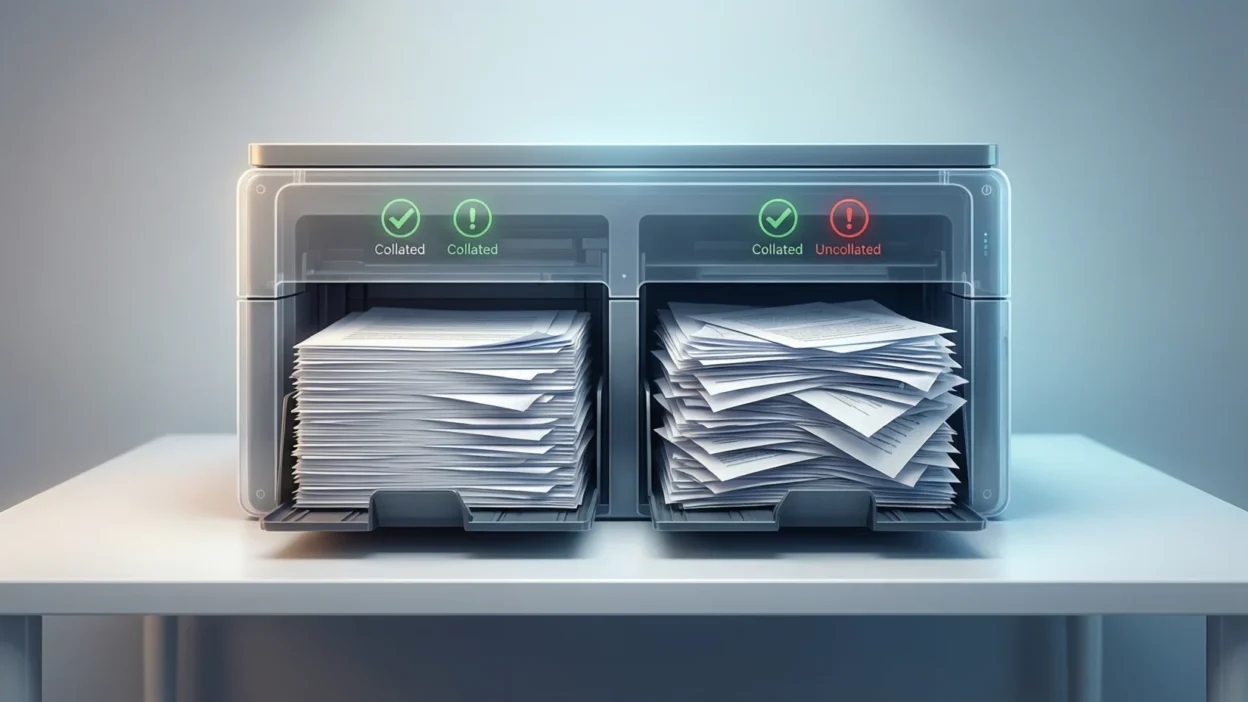
When you print multiple copies of a multi page document, collate controls how the pages are organized as they come out of your printer.
- Collated printing: Each complete copy of the document prints in order. For example, printing 3 copies of a 4-page report would result in:
1, 2, 3, 4 → 1, 2, 3, 4 → 1, 2, 3, 4 - Uncollated printing: All copies of the same page print together before moving on. Using the same example, it would print:
1, 1, 1 → 2, 2, 2 → 3, 3, 3 → 4, 4, 4
Why do people use collate?
Collating saves time and effort when printing multiple copies because each set comes out ready to use. There’s no need to manually sort pages afterward, making it perfect for handouts, reports, or multi page booklets.
Short example:
“If I want 5 copies of this 6 page handout, I’ll check collate so I get 5 complete sets in order.”
Bold summary: Collate ensures multiple copies of a document print in order, giving you ready-to-use sets without manual sorting.
Where Is Collate Commonly Used?
The collate option appears in almost every printer setup menu, including:
- Microsoft Word and Google Docs print dialogs
- PDF readers like Adobe Acrobat
- Printer control panels and software
- Mac and Windows system print menus
The tone of this option is neutral and functional it’s purely about organizing pages, not about style or content. It’s helpful whether you’re printing at home, school, or the office.
Realistic Examples of Collate in Action
Here are some everyday scenarios showing how collate affects printing:
- Printing 3 copies of a 5-page report:
- Collated: 1–5, 1–5, 1–5
- Uncollated: 1,1,1,2,2,2,3,3,3,4,4,4,5,5,5
- Collated: 1–5, 1–5, 1–5
- Printing 2 copies of a 10-page assignment:
- Collated: set 1 (1–10), set 2 (1–10)
- Uncollated: all pages 1, then all pages 2, … all pages 10
- Collated: set 1 (1–10), set 2 (1–10)
- Printing a single page flyer 20 times:
- Collate doesn’t matter because there’s only one page
- Collate doesn’t matter because there’s only one page
- Printing a booklet:
- Collate ensures each copy is complete, ready to bind or distribute
- Collate ensures each copy is complete, ready to bind or distribute
When to Use and When Not to Use Collate
✅ When to Use Collate
- Printing multiple copies of multi-page documents
- Preparing handouts, reports, or forms
- Printing booklets or packets
- Avoiding manual page sorting after printing
❌ When Not to Use Collate
- Printing single-page documents or flyers
- Printing just one copy
- When manual sorting is preferred for special projects
Comparison Table
| Context | Example Phrase | Why It Works / Doesn’t |
| Multi-page report | “Print 3 collated copies” | Pages come out complete and in order |
| Single-page flyer | “Print 20 copies” | Collate unnecessary; all pages identical |
| Office forms | “Print 5 copies uncollated” | Only makes sense if sorting manually |
| Booklet prep | “Collate on” | Ensures sets are ready to distribute |
Similar Printing Options or Alternatives
If you’re printing frequently, you may notice related options:
| Option | Meaning | When to Use |
| Reverse Order | Prints pages backward | Useful for printers that stack pages upside down |
| Duplex / Double-Sided | Prints on both sides of the paper | Good for saving paper in multi-page documents |
| Number of Copies | Total sets to print | Basic setup option; combine with collate for best results |
| Sort | Some printers call it “sort” | Similar to collate; organizes pages per set |
Understanding these settings along with collate helps you control your print output efficiently.
FAQ: What Does Collate Mean When Printing?
1. Does collate matter for single-page documents?
No. Collate only affects multi page printing.
2. Can all printers collate?
Most modern printers support collate, but very basic models might not.
3. Is collate the same as sorting?
Yes, some printers label it “sort,” but it works the same way.
4. Will collating waste paper?
No, it only affects the page order, not the number of pages printed.
5. Should I collate when printing double-sided?
Yes. Collating ensures pages stay in correct order on both sides.
6. Can I collate from my phone or tablet?
Yes. Mobile print apps generally include a collate option.
7. What happens if I forget to collate?
You’ll need to manually sort your pages if printing multiple copies.
Final Thought
Understanding what collate means when printing can save you from frustration and wasted time. It’s a simple checkbox that ensures multi page documents print in order, giving you ready to use sets immediately.
It printing at home, school, or work, collate helps keep pages organized, especially for reports, assignments, and handouts. Next time you see that little checkbox, you’ll know exactly when and why to use it.